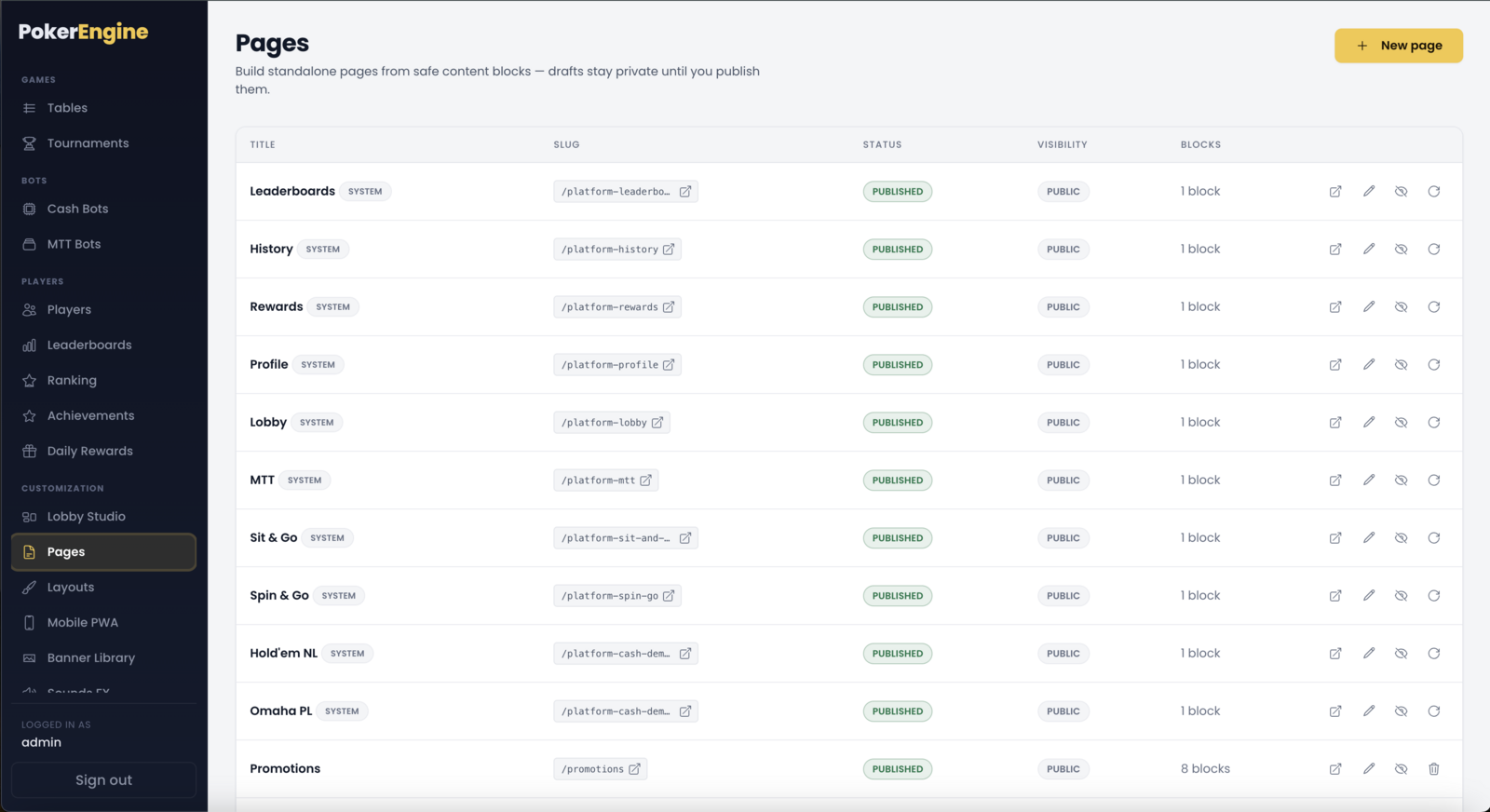
The Pages section (under Customization) is what makes PokerEngine feel like
a full CMS — think WordPress, but built for a poker platform. You compose pages out of ready-made
blocks, drop in live platform modules (like your lobby or a leaderboard), add
sidebar widgets, and publish — all visually, with no coding.
Your platform already ships with a set of working pages (Lobby, Leaderboards, Profile, History, Rewards, and
tournament pages), so you have a complete site on day one. From there you can edit them, or build brand-new pages
of your own — an About page, House Rules, a Promotions landing page, a VIP page, anything.
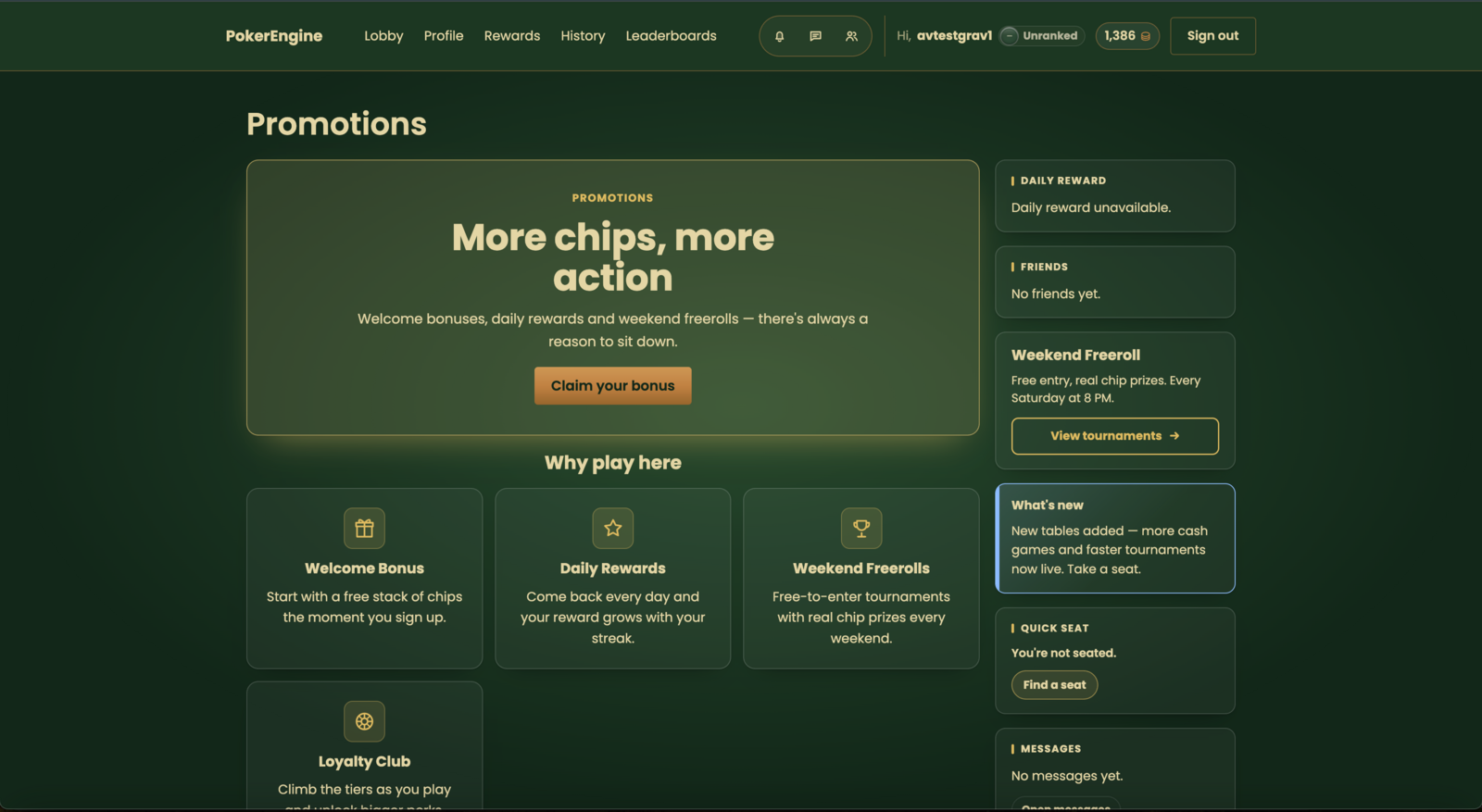
Pages is a full visual CMS — compose blocks, drop in live modules, and publish a fully custom landing page around your games.
Page settings
When you create or edit a page, you set:
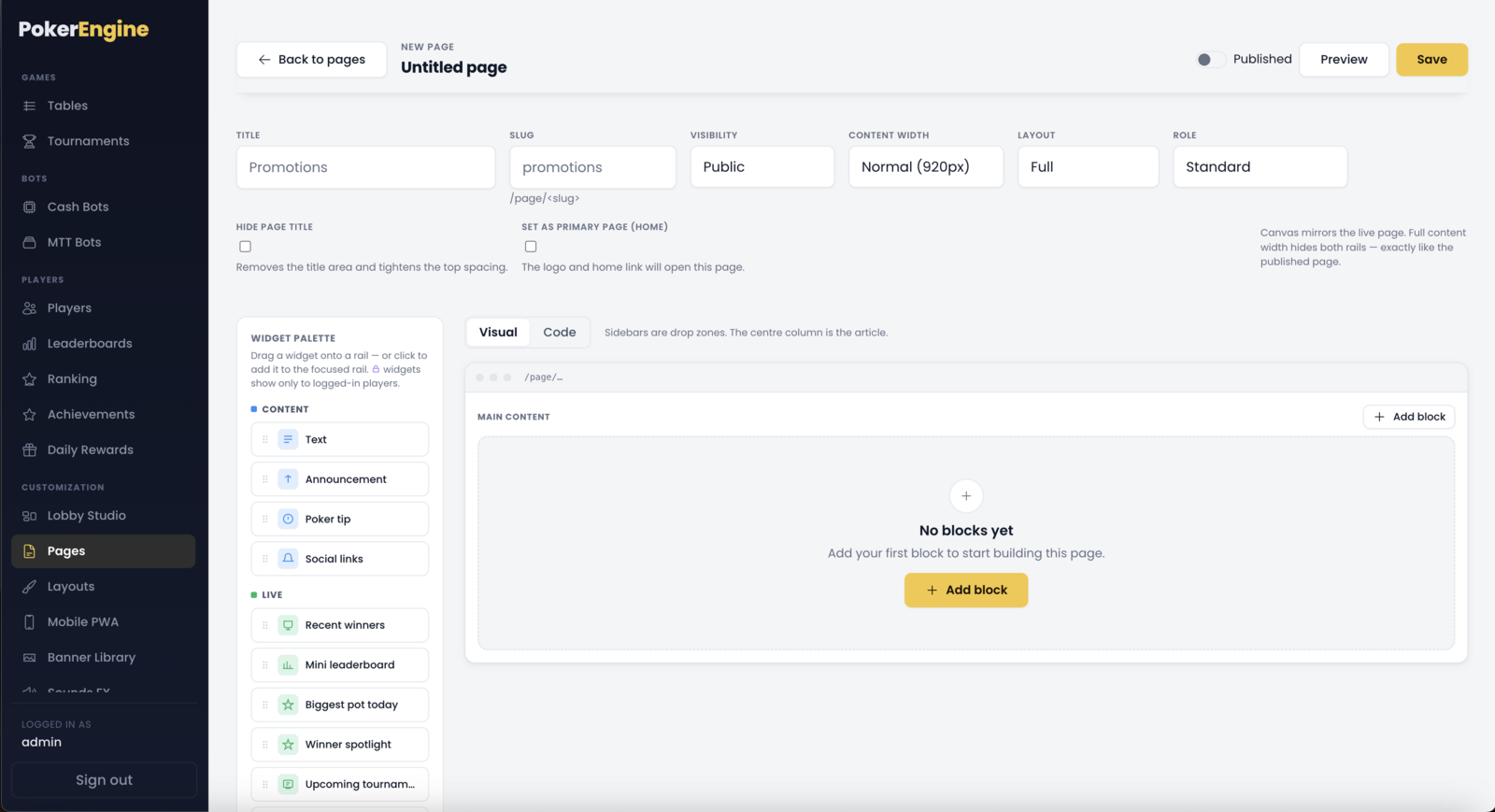
Title and Slug — the slug is the page’s address, /page/<slug>.
Visibility — Public (anyone) or Members (only logged-in players; visitors get a sign-in prompt).
Content width — narrow, normal, wide, or full-width.
Layout — a single column, or add a left, right, or both sidebars for widgets.
Hide page title and Set as home page — make any page your platform’s landing page.
Page settings & the builder — set the title, slug, visibility, width and layout, then compose the page in the two-pane builder.
The visual builder
Editing a page opens a two-pane builder: a palette of blocks on the left, and a live
canvas in the middle that shows your page exactly as players will see it (sidebars included). Add blocks
with + Add block, drag and drop to reorder them, and click any block to edit its
content. There’s also a Visual ⇄ Code switch for those who want to see the underlying
structure.
Safe by design
Everything you build is safe by design — there’s no raw-HTML field to break your site or
create a security hole; rich text is sanitized automatically. You get the flexibility of a page builder
without the risk.
Content blocks
The building blocks for your page’s main column:
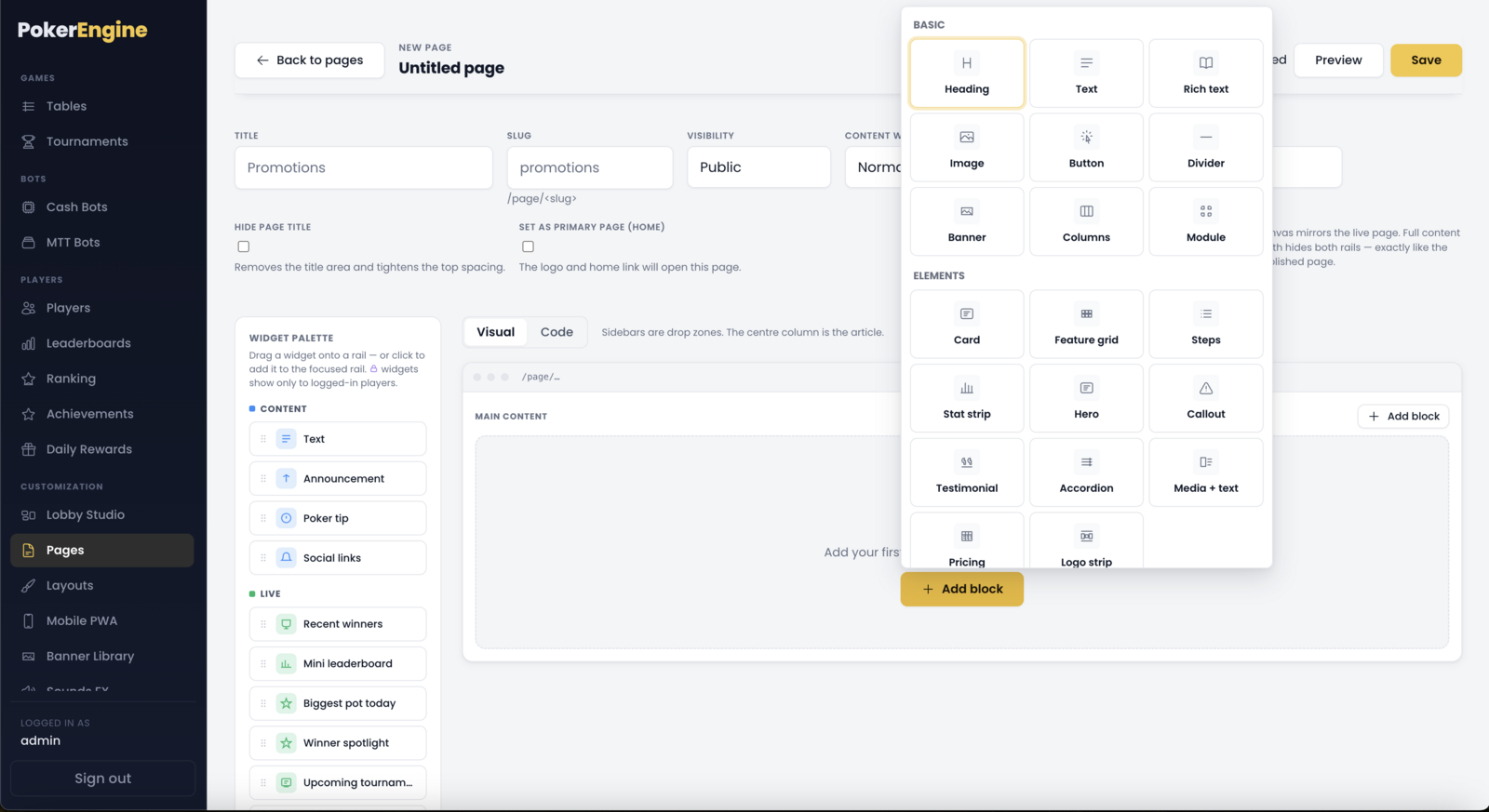
Basics — heading, text, rich text (bold/italic/lists/links), image, button, divider, and columns (split content into 2–3 columns).
Landing-page elements — polished marketing blocks: hero, feature grid, steps, stat strip, card, callout, testimonial, accordion/FAQ, media + text, pricing table, and logo strip. These let you build a professional marketing or info page without a designer.
Banner — drop in an image from your Banner Library.
Content blocks — the Add block picker groups Basics and polished landing-page elements you can drop in and edit.
Platform modules — put live features inside a page
This is the powerful part: you can embed the platform’s live features directly into any page
as a module block. Available modules:
Lobby — your live tables (pick which lobby); you can render it edge-to-edge to build a fully custom landing page around your games.
Leaderboards — a live leaderboard (pick which one).
Tournaments — a live tournament lobby (choose MTT, Sit & Go or Spin & Go, and which templates to show).
Profile, History, Rewards — the player’s own profile, hand history and daily rewards.
Each module drops into the page like any other block (with an optional header). A module can be placed
once per page. (The player-specific modules show for logged-in players.)
Sidebar widgets
If your page has a sidebar, you can fill it with widgets — small, live components. There are
two dozen to choose from, grouped by purpose:
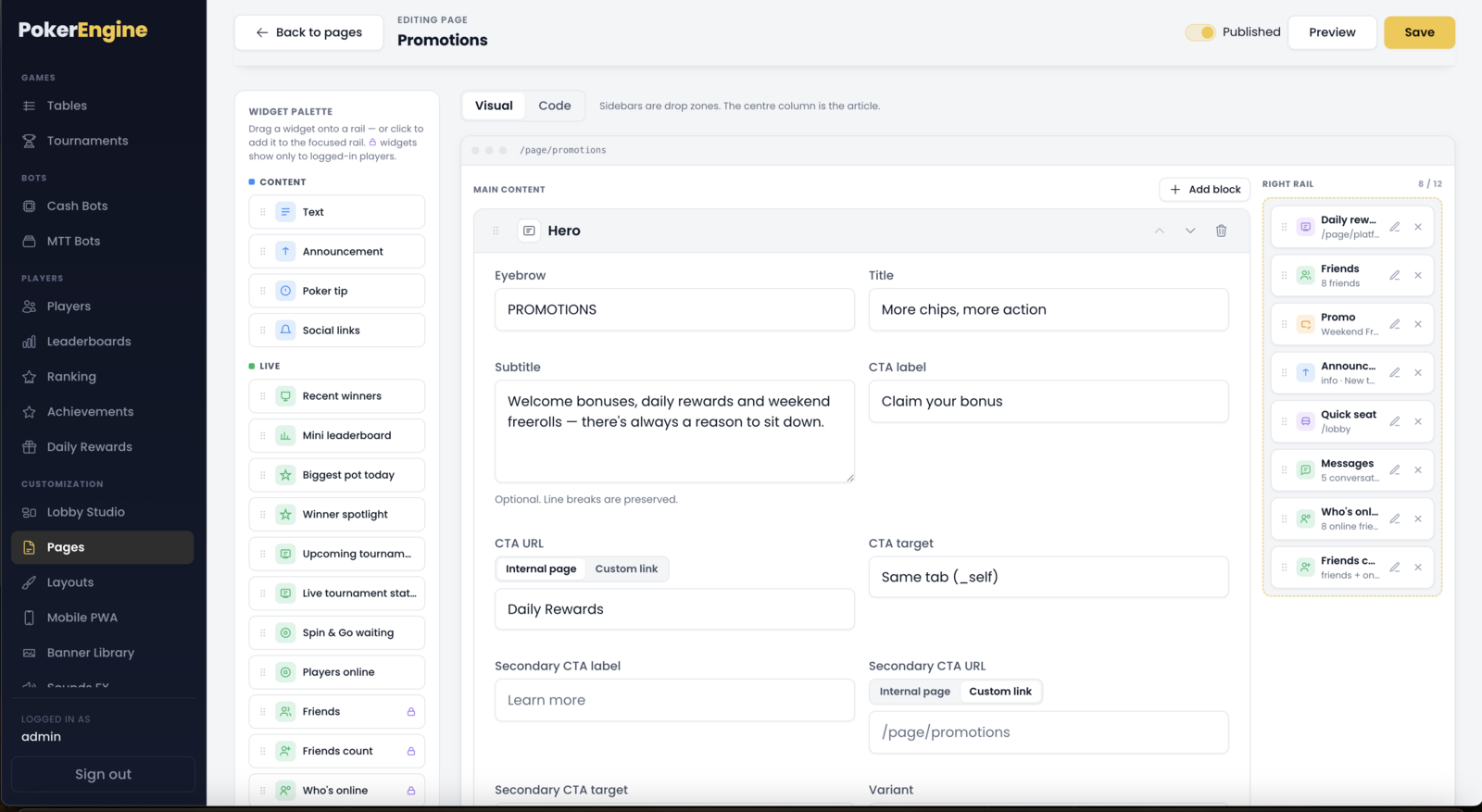
Content — a text box, an announcement, a rotating poker tip, or social links.
Live — recent winners, a mini leaderboard, biggest pot today, upcoming/live tournaments, online-player count, and more — all updating in real time.
Player (for logged-in players) — my stats, my rank, my achievements, a daily-reward claim, and quick-seat.
Promo — a promo box, an image, a call-to-action button, or an ad slot — handy for cross-promotion or monetization.
Sidebar widgets — drag small live components (Content, Live, Player, Promo) onto a page’s rails.
System pages vs. your own pages
System pages (the built-in Lobby, Profile, Leaderboards, etc.) can be freely edited and even reset to their default if you want to start over — but they can’t be deleted, since the platform relies on them. If you remove a required piece (like the lobby from the Lobby page), it’s restored automatically on save.
Your custom pages start as drafts, and you can delete them anytime.
System pages vs. your own — built-in pages carry a System badge (edit/reset, never delete); your custom pages are deletable drafts.
Publishing and adding a page to your menu
Building a page is two steps:
Build and publish the page here. A page stays a private draft until you flip it to Published; only published pages are live at /page/<slug>.
Add it to a menu in Layouts → Navigation (published pages appear in the “Add page” picker).
That separation — author content in Pages, wire it into your menus in Layouts — is exactly how a CMS works, and
it’s what lets you shape your platform however you like.
Publishing doesn’t auto-add to a menu
Remember step 2: a freshly published page is live at its URL but won’t appear in any menu until you add it in
Layouts → Navigation.
Good to know
Ready to use. Your core pages are seeded on first launch, so nothing is required to get a working site — Pages is there to customize and extend.
Publishing doesn’t auto-add to a menu. Remember step 2: add the page to your navigation.
A few slugs are reserved (like admin, login, lobby) since the platform uses them — the builder will let you know if you pick one.
Members-only pages automatically show a sign-in prompt to visitors who aren’t logged in.