The Tournaments section (under Games in the admin sidebar)
is where you create, schedule and run tournaments. PokerEngine ships three tournament
formats, each on the same page, one below the other.
Format
What it is
Starts when
Prize
Sit & Go
A single table that begins as soon as it fills up.
Seats are full (6 or 9).
Buy-in pool split across the top 3.
Spin & Go
A fast 3-player hyper-turbo with a random prize multiplier revealed at the start.
3 seats are full.
Buy-in pool × a randomly drawn multiplier.
MTT (Multi-Table)
A large tournament across many tables that merge as players bust.
A minimum number of players have registered.
Buy-in pool paid out across a top-N payout curve.
How the section works: templates and instances
Everything is built around templates and instances:
A template is a reusable blueprint — the buy-in, blind structure, payouts, bot settings and so on. You create it once.
An instance is a live tournament spawned from a template. One template can spawn many instances over time.
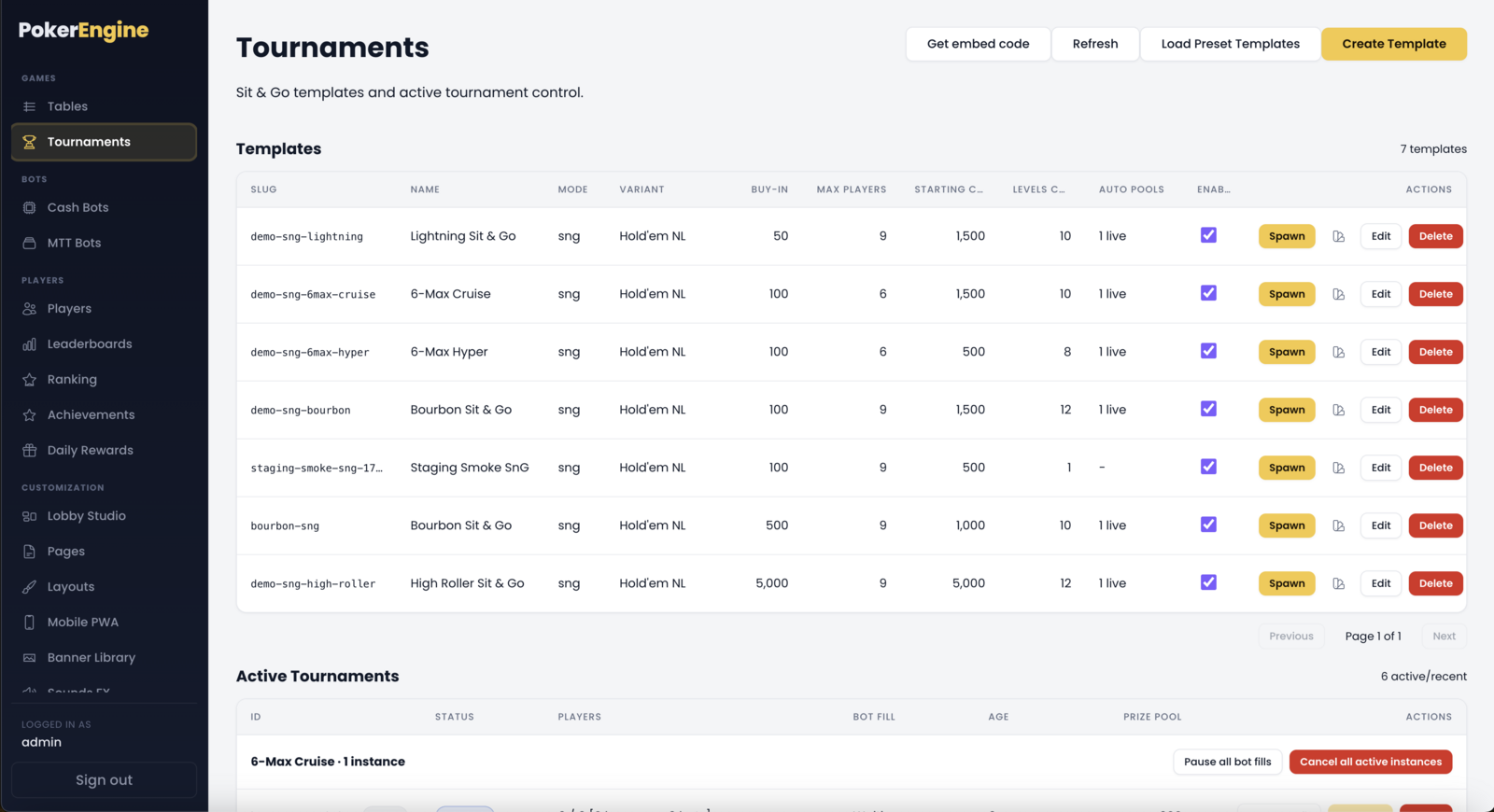
For each format you get two lists: your Templates (the blueprints) and the
Active Instances (tournaments currently registering or playing). The active lists
refresh on their own so you can watch registrations, bot fill and prize pools live.
To run a tournament you: create a template → enable it → spawn an instance
(or let auto-spawn do it for you).
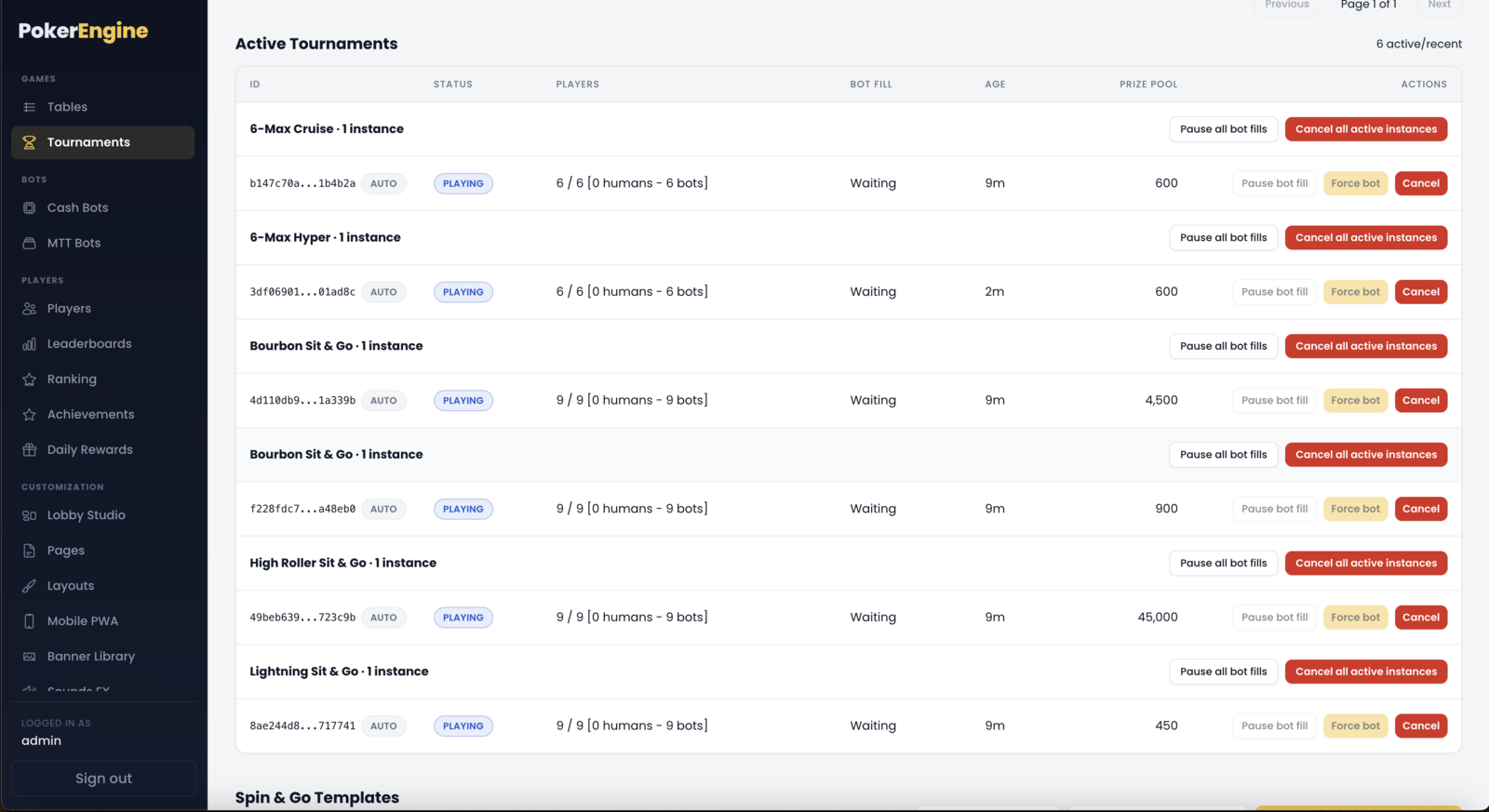
How the section works — each format has a Templates list (the blueprints) and an Active Instances list (live tournaments).
Creating a Sit & Go template
Click Create Template in the Sit & Go block. The important settings:
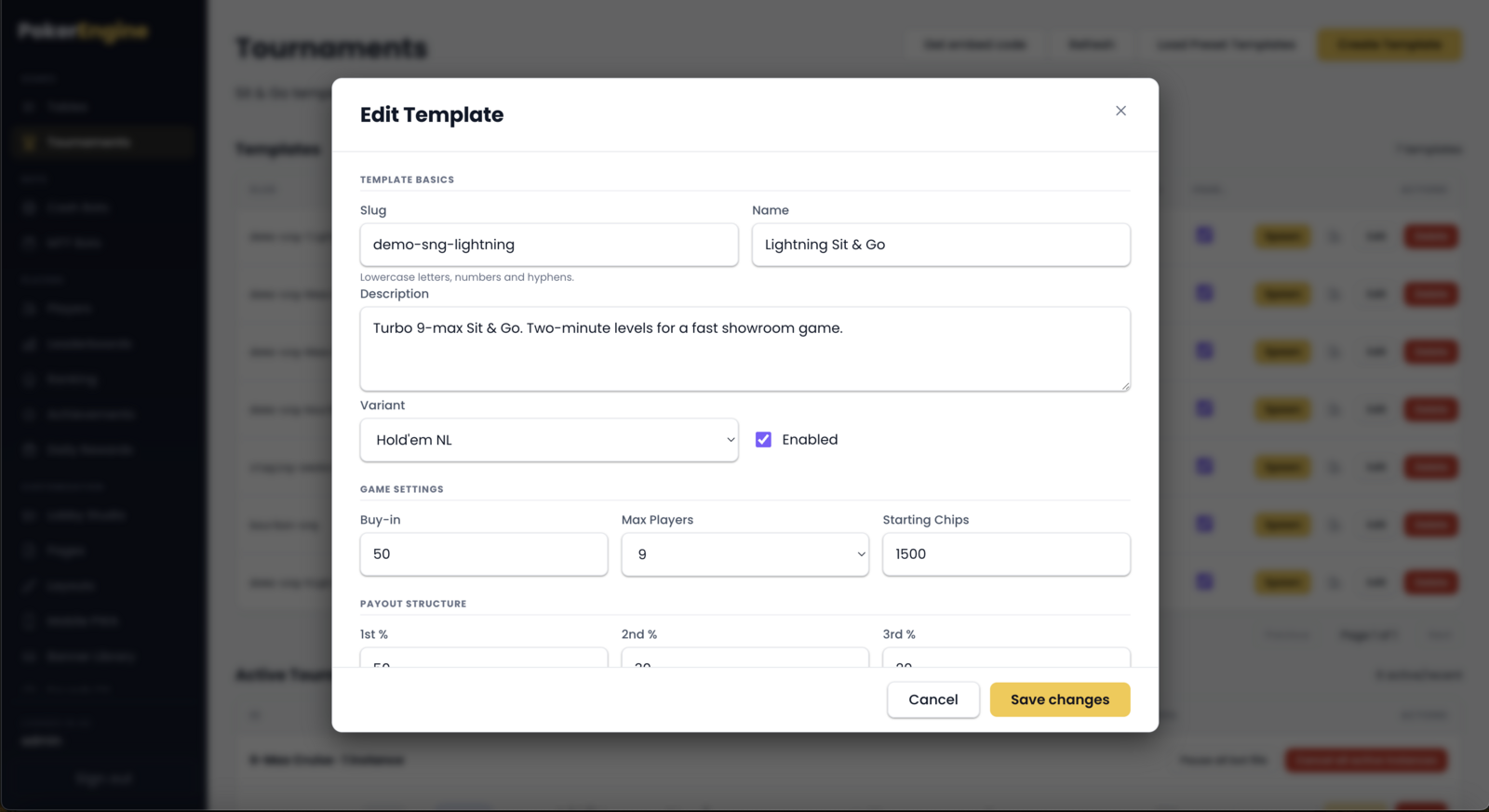
Slug — a short unique ID for the template (lowercase letters, numbers, dashes). Permanent once created.
Name / Description — what players see.
Variant — Hold’em No-Limit, Omaha Pot-Limit, or Omaha No-Limit.
Buy-in — the entry cost in chips.
Max players — table size, 6 or 9.
Starting chips — each player’s stack.
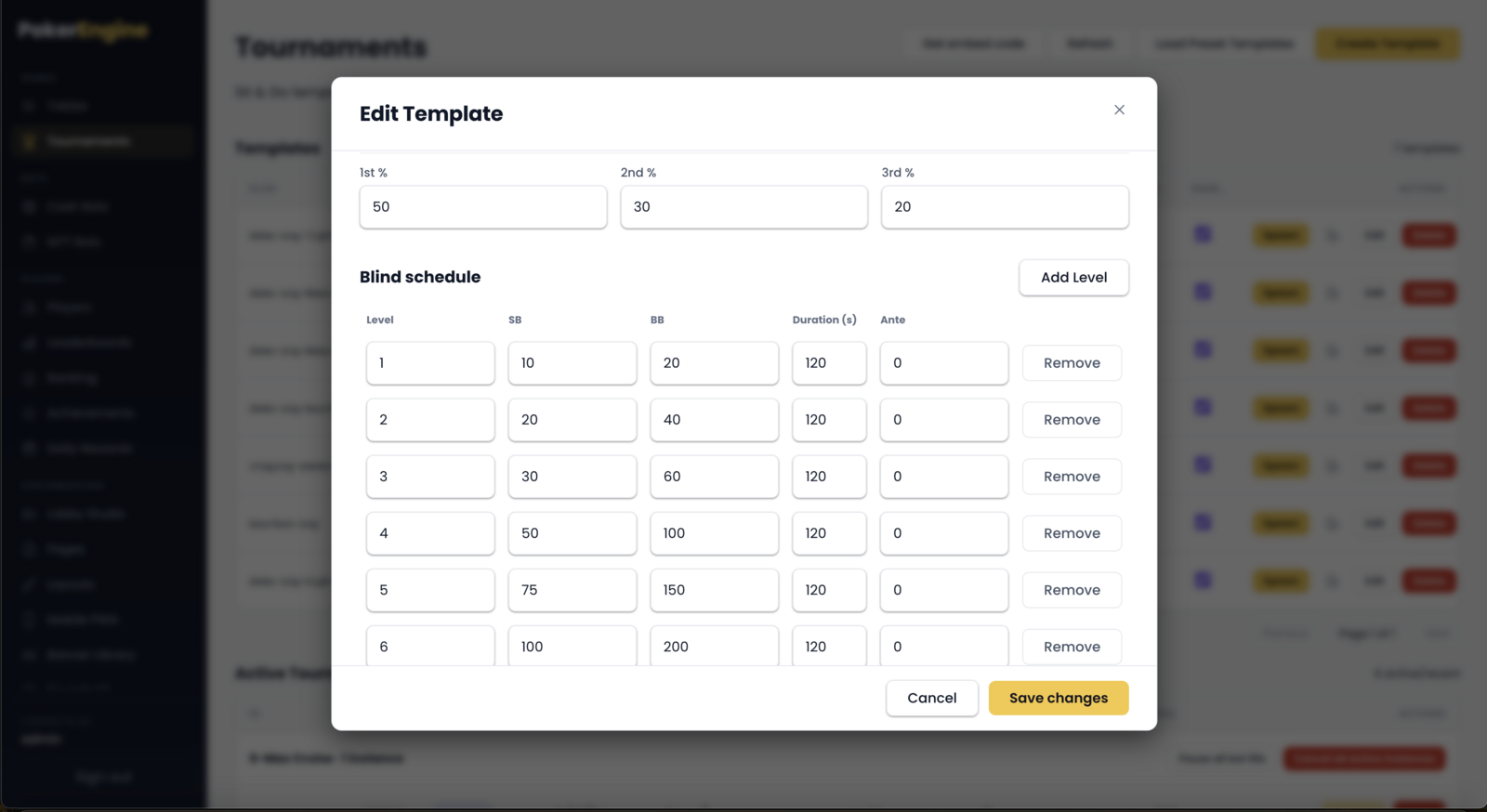
Payout split — how the prize pool is shared between 1st / 2nd / 3rd (must total 100%). Default 50 / 30 / 20.
Blind schedule — the levels (small blind, big blind, and how long each level lasts). You edit them in a small table; blinds must increase level to level. (Antes are not used in v1.2.)
Bots & auto-spawn — see Keeping tournaments populated below.
Creating a Sit & Go template — the basics and game settings.The Sit & Go blind schedule and the 1st / 2nd / 3rd payout split (must total 100%).
Creating a Spin & Go template
Spin & Go is the quick, exciting format. Most of its shape is fixed to keep it true to the
hyper-turbo style:
Name, Buy-in, Starting chips, Enabled.
Max players is locked to 3 — that’s what makes it a Spin & Go.
Blind structure — a fast 10-level ladder by default (short levels), fully editable.
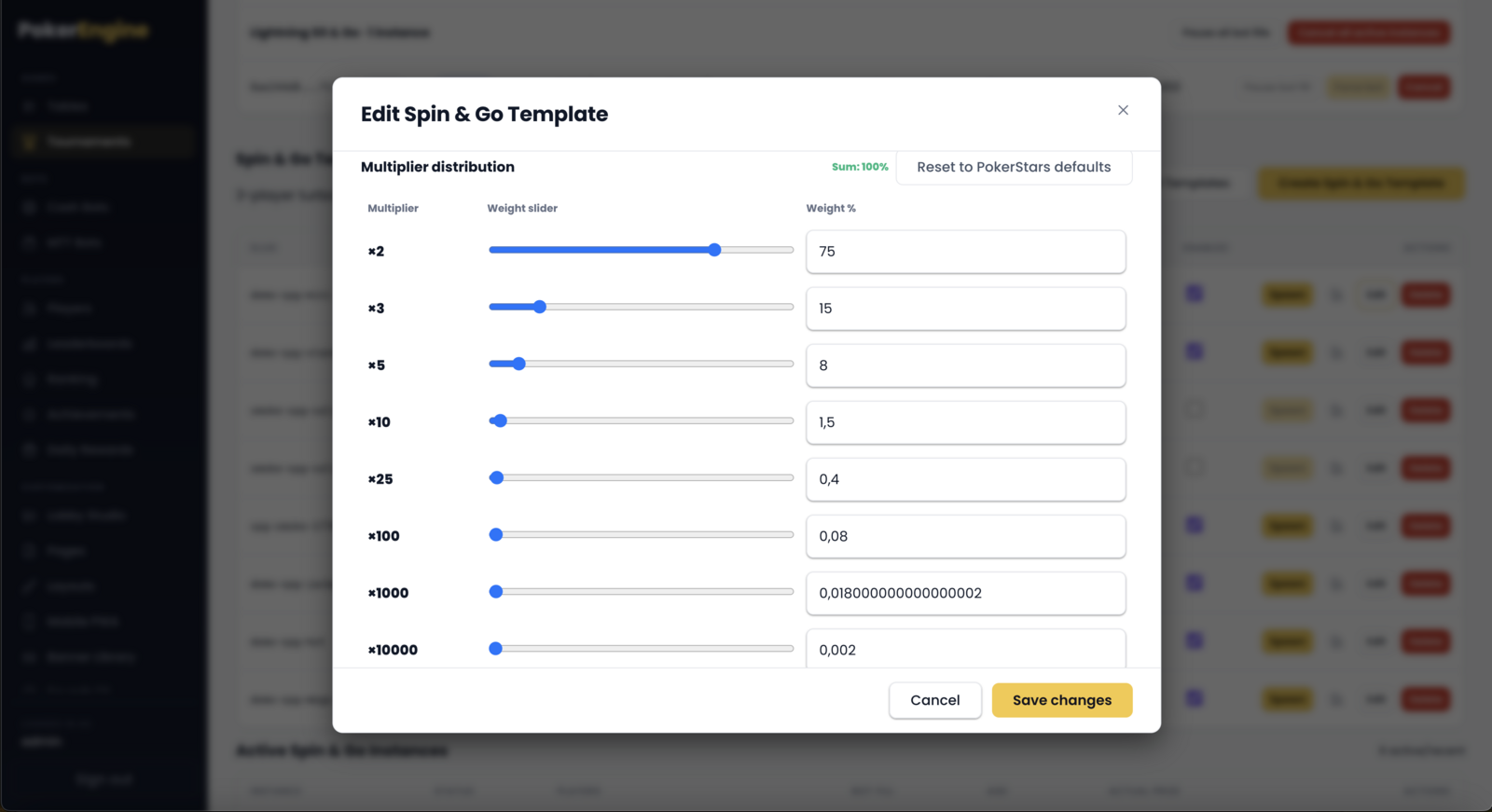
Prize multiplier distribution — this is the heart of Spin & Go. When an instance starts, PokerEngine randomly draws a multiplier (using a fair, cryptographically-seeded draw) that decides the prize pool. The eight multiplier tiers (×2, ×3, ×5, ×10, ×25, ×100, ×1000, ×10000) are fixed to match the classic format; you adjust only their weights (how likely each is), and the weights must total 100%.
Consolation rule — for the big multipliers, you can pay 2nd and 3rd a small consolation instead of winner-take-all. You set the threshold (the multiplier at which consolation kicks in) and the amount.
Creating a Spin & Go template — max players is locked to 3.The prize multiplier distribution — the eight tiers are fixed; you tune only the weights (total 100%).
Creating an MTT (Multi-Table) template
MTTs are the flagship “big event” format:
Name, Buy-in, Starting chips, Enabled.
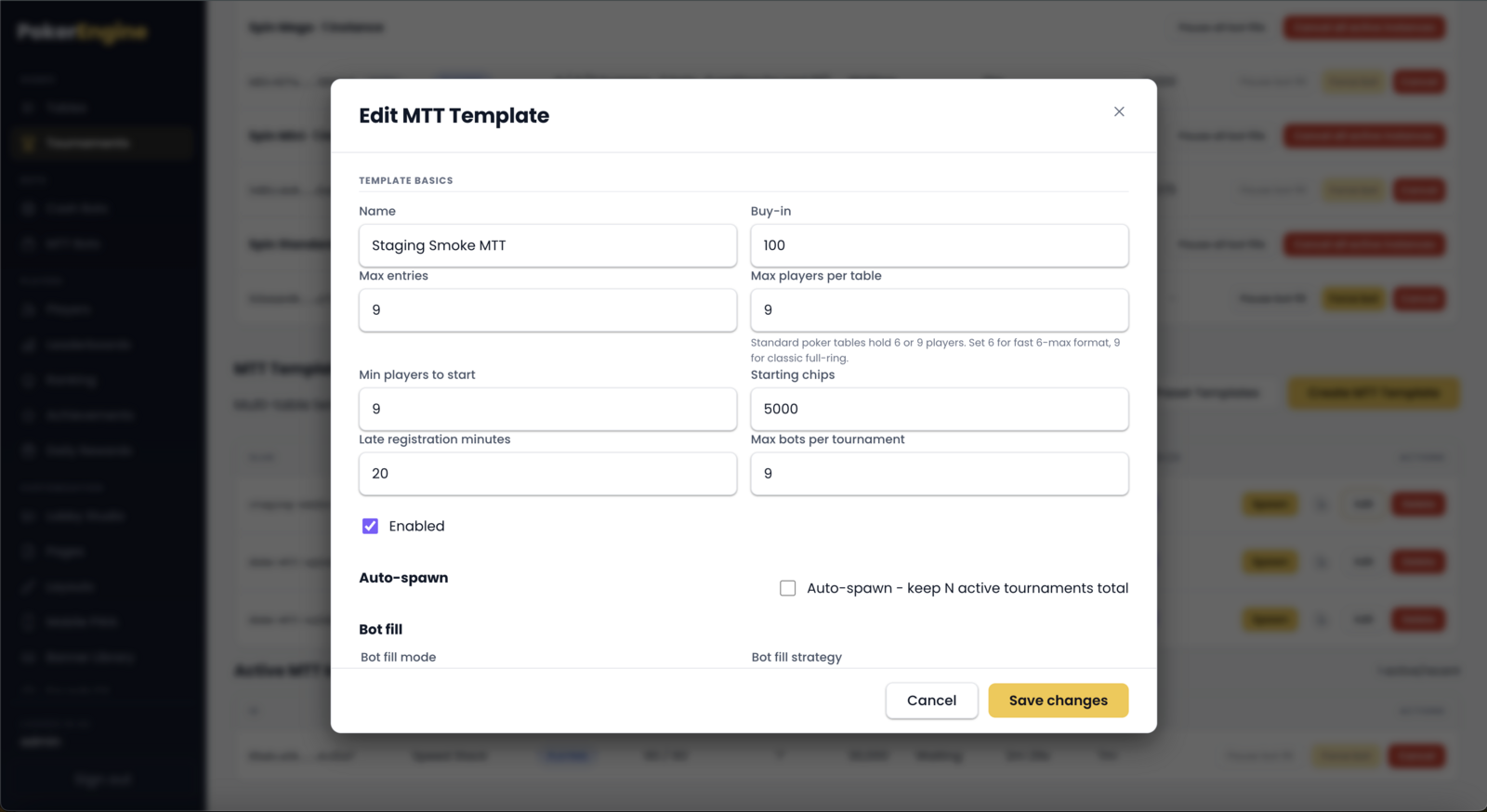
Max entries — the total field size (6–100).
Max players per table — 6 (faster 6-max) or 9 (full ring). Tables fill to this size, then more tables are created.
Min players to start — the tournament begins once this many players have registered.
Late registration (minutes) — how long after the start players can still buy in (0–30). Great for filling the field.
Blind structure — a longer 20-level ladder by default.
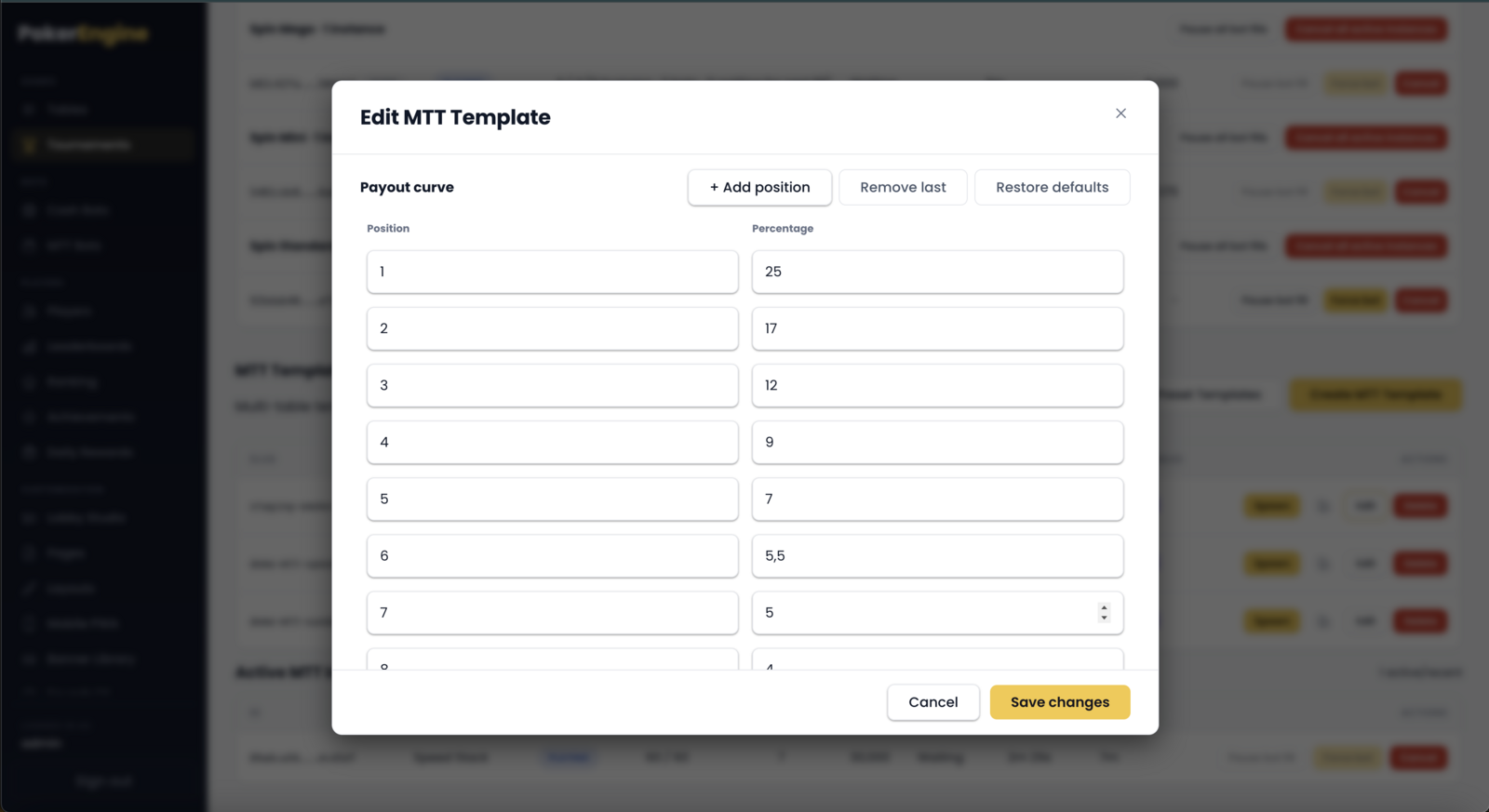
Payout curve — how many places get paid and each place’s share (must total 100%). Default pays the top 15.
Max bots per tournament — a hard ceiling on how many AI players can join (default 50).
Creating an MTT template — field size, table size, min-to-start and late registration.The MTT payout curve — a percentage per paid position (must total 100%). Default pays the top 15.
Keeping tournaments populated (bots & auto-spawn)
The magic that keeps your tournaments alive even with a small player base:
Bot fill — bots automatically join tournaments so they start and feel busy. You control:
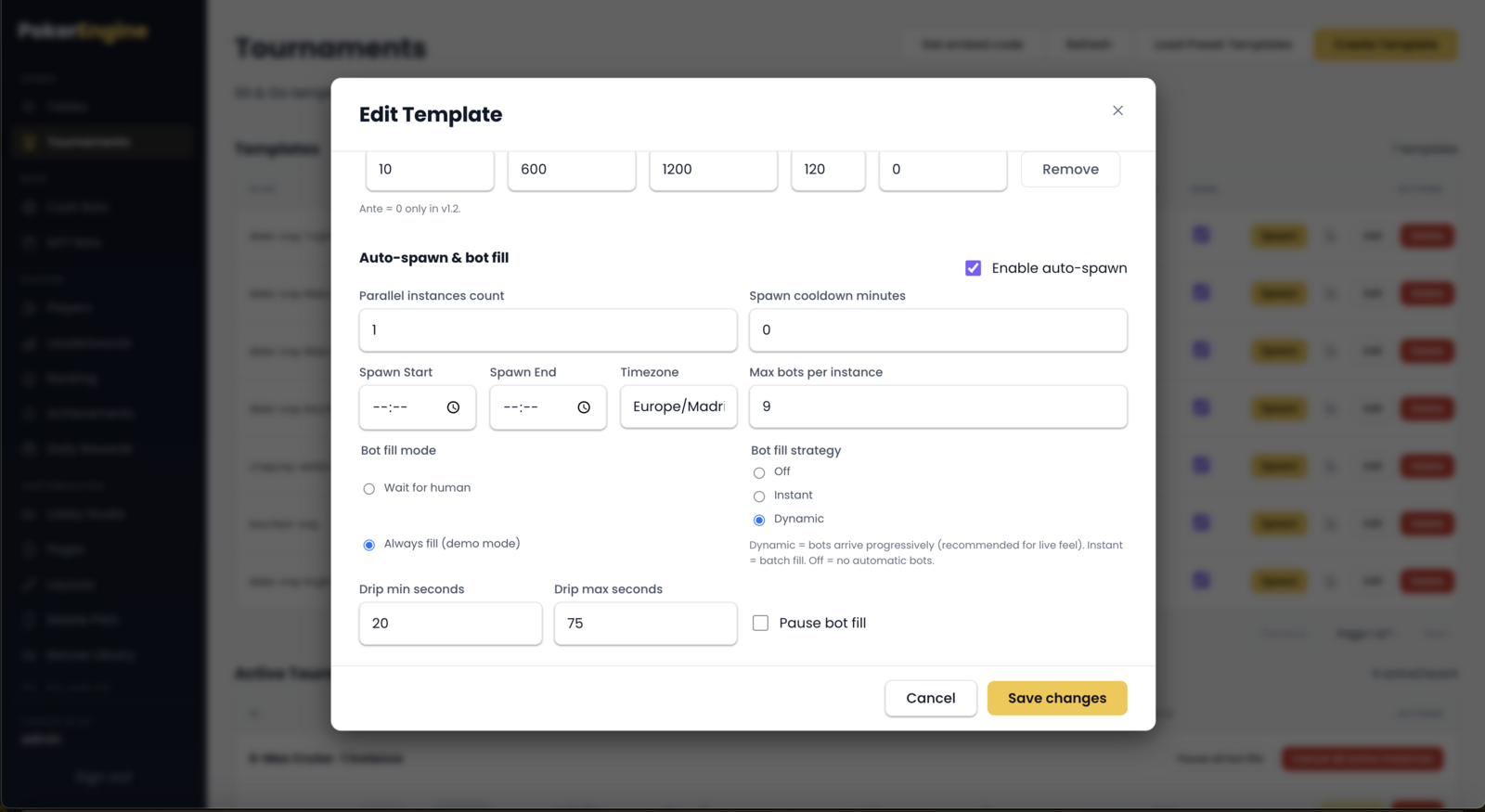
Fill mode — wait for human (bots only top up once a real player is present) or always fill (great for demos).
Fill strategy — off, instant (fill right away), or dynamic (bots trickle in at a natural pace).
Drip timing — the pace for dynamic fill.
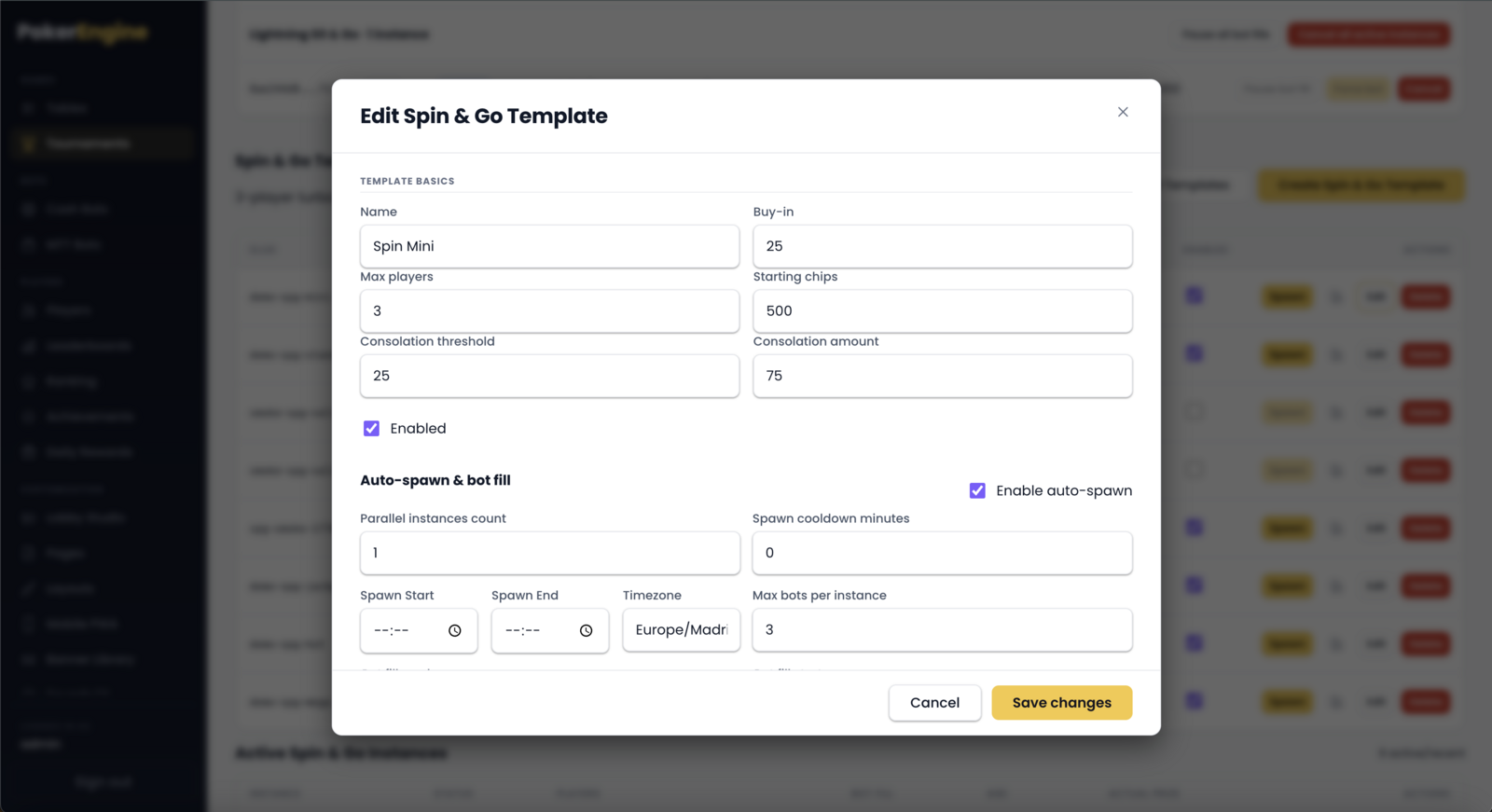
Auto-spawn — instead of spawning tournaments by hand, let PokerEngine keep N instances running at all times. You set how many run in parallel, a cooldown between spawns, and an optional daily time window (with timezone). When one finishes, another appears.
Max bots per instance — cap the number of bots per tournament so real players always have room.
You can pause bot fill globally on a template or on a single instance at any time.
Auto-spawn & bot fill — keep instances running automatically and fill them with bots at a natural pace.
Managing live tournaments
Each active instance row gives you full control:
Force bot — add one bot immediately (while still registering).
Pause / Resume bot fill — freeze or restart automatic bots for that instance.
Cancel — end a tournament that’s still registering or running. You’ll see a refund preview first — every registered player (humans and bots) is refunded their buy-in, and you can enter a reason. Bots are removed cleanly.
Expanding a row shows who’s registered, with the option to remove & refund an individual bot.
At the group level (per template) you also get Pause all bot fills and
Cancel all active instances for quick bulk control.
Managing live tournaments — force a bot, pause fill, or cancel with a refund preview, per instance or in bulk.
Ready-made presets
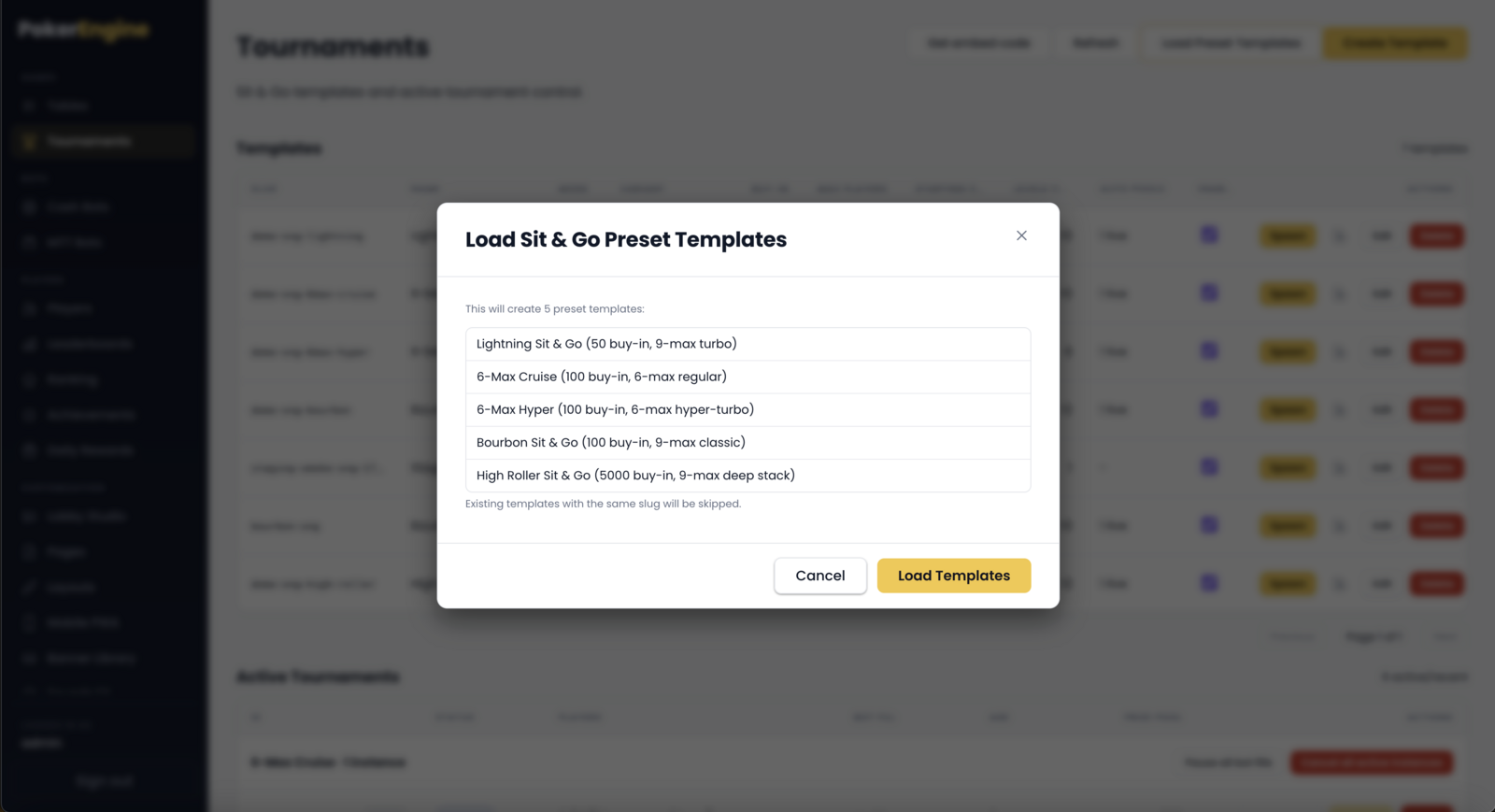
Don’t want to build templates from scratch? Click Load Preset Templates to
install a set of professionally-tuned blueprints (5 Sit & Go, 5 Spin & Go, and 2 MTT
including a “Sunday Major” and a “Speed Stack”). It’s safe to run more than once — templates that
already exist are skipped, never duplicated.
Ready-made presets — install a curated set of blueprints; existing slugs are skipped, never duplicated.
Good to know
Restarting the server ends running tournaments
If you restart or update your server while tournaments are live, non-resumable tournaments are
cancelled and everyone is refunded. Plan deploys for quiet periods, or let events
finish first.
MTTs handle a thin field automatically. If not enough players register by the end of late registration, the tournament either force-starts (if at least two players are in) or cancels and refunds — you never get a stuck, empty MTT.
Spin & Go specifics. Always 3-max; the multiplier tiers are locked to the standard set (you tune the odds), and the consolation payout can’t exceed its prize pool.
Deleting a template is a soft-disable. Existing instances keep running; the template simply stops spawning new ones and disappears from the active list.
Optional — embed tournaments on an external site
You do not need embedding to use PokerEngine: your platform already runs as a
complete, standalone site with its own lobby, pages and menus. Embedding is only for when you
also want to surface a live tournament lobby on a separate website you own —
for example your marketing site or an affiliate landing page. If that’s your case, each format
provides an optional embed snippet (see Lobby Studio). Otherwise you can ignore it
entirely.